

Cameras Placed Where Coverage Actually Counts
Security cameras in Tarzana for residential and commercial properties where entries, parking areas and perimeter access points require reliable recorded coverage
Foremost Automation supplies and installs security cameras for homes and businesses in Tarzana, handling everything from the initial site walk through recorder configuration and remote viewing setup. The client base includes gated residential estates where driveway and perimeter coverage spans wide lots, and small businesses where entries and parking areas are the priority. Every camera connects to a recorder that stores footage with motion detection and night vision, and Foremost Automation integrates cameras with alarms, access control and home automation so that all systems operate through one platform rather than separate apps and interfaces.
The installation process starts with a site walk to identify camera positions at entries, driveways, gates and any blind spots specific to the property's layout. Hardware is selected after positions are confirmed, so lens angle, resolution and night vision range are matched to what each camera actually needs to cover at that location. In neighborhoods like Sherman Oaks and Studio City, commercial storefronts and mixed-use buildings often require camera coverage of both street-facing entries and interior parking or loading areas, each with different mounting constraints and cabling paths that need to be planned before installation begins.
To identify the camera positions that would give your property complete entry and perimeter coverage, schedule a site walk with Foremost Automation before any equipment decisions are made.
The Difference Between Camera Placement and Camera Coverage
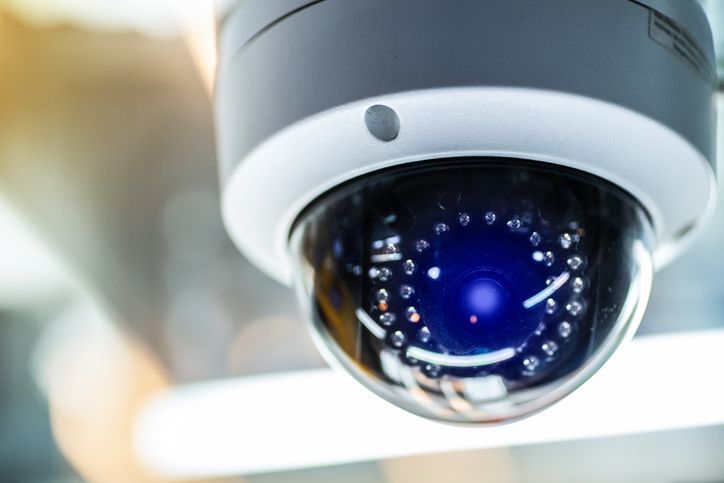
Placing a camera and achieving coverage are not the same outcome. A camera mounted at a convenient location may record a wide-angle view that captures general activity without producing footage useful for identifying a face, a license plate or a point of entry. Foremost Automation configures each camera's position, angle, resolution setting and motion zone so that the footage it produces is actionable—relevant detail at the distances and angles that matter for that specific property.
After the system is fully installed and configured, motion alerts arrive on your device in real time when a designated zone is triggered, and recorded footage is organized by camera, time and motion event so that reviewing a specific incident does not require scrubbing through continuous footage. Remote viewing lets you access live and recorded video from any location. Properties that previously relied on disconnected devices or missed coverage at secondary entries will have a single recorder managing all camera feeds through one interface with no gaps between zones.
For businesses, camera integration with access control adds a layer where door-open events and camera motion events are logged together, making it straightforward to match footage to a specific access event. For residential clients, camera integration with an alarm system means that motion detected by a camera in a defined zone can trigger the alarm panel directly rather than only a camera notification. Both configurations are handled by Foremost Automation as part of a single installation rather than as separate systems added by different contractors.
Answers About How the Work Is Done
These questions address how security camera systems are planned, installed and configured—covering placement decisions, recorder setup and what the system allows you to do once it is running.
What does the site walk determine before installation starts?
The site walk establishes camera positions for all entries, driveways, gates and blind spots, confirms cabling paths from each camera location back to the recorder, identifies mounting surfaces and heights, and determines which camera specifications—lens angle, resolution, night vision range—are required at each position before any hardware is ordered.
How are motion zones set up on the recorder after cameras are mounted?
Motion zones are drawn within each camera's frame to define which areas of the image should trigger an alert or a flagged recording event—this limits false alerts from background movement at the edge of frame while ensuring that relevant activity at the door, gate or entry point is captured and flagged.
Why does camera specification vary by position rather than using the same model throughout?
A camera covering a forty-foot driveway requires a longer night vision range and a narrower lens than a camera covering a six-foot entry door—using the same hardware at every position produces either over-wide footage that misses detail or zoomed footage that misses approach paths.
How does the system store and organize footage for later review?
The recorder stores footage continuously or by motion event depending on configuration, and events are indexed by camera, time and motion zone so that a specific incident can be located within seconds rather than by reviewing full-length recordings from multiple cameras.
What should you check to confirm the system is recording correctly after installation?
Verify that each camera's live view is clean and correctly framed, trigger a motion event in each zone and confirm that the recorder logs it and sends an alert, then review the stored clip to confirm that resolution and night vision output match what was agreed during installation—these checks should be completed before the installer leaves the site.
Foremost Automation also installs security cameras in Burbank, Glendale, Pasadena, Santa Monica and Thousand Oaks. To move forward with a site walk and camera placement plan for your property, call Foremost Automation at (818) 660-5580 and set up a visit.